CBC
CBC
Conscious Book Club
Get early access
Web app is live. Public iOS beta on TestFlight.

Where ideas turn into habits.

CBC is a social self-development app for small, intentional groups. Discover, books, goals, a shared feed, and meeting calendars in one place—so you don't just discuss ideas, you apply them.

For friends who want to grow together—discipline, creativity, philosophy—and more than passive consumption.

Discover

Swipe, vote, and champion book suggestions together

Books

Search, track, and line up your next read as a club

Goals

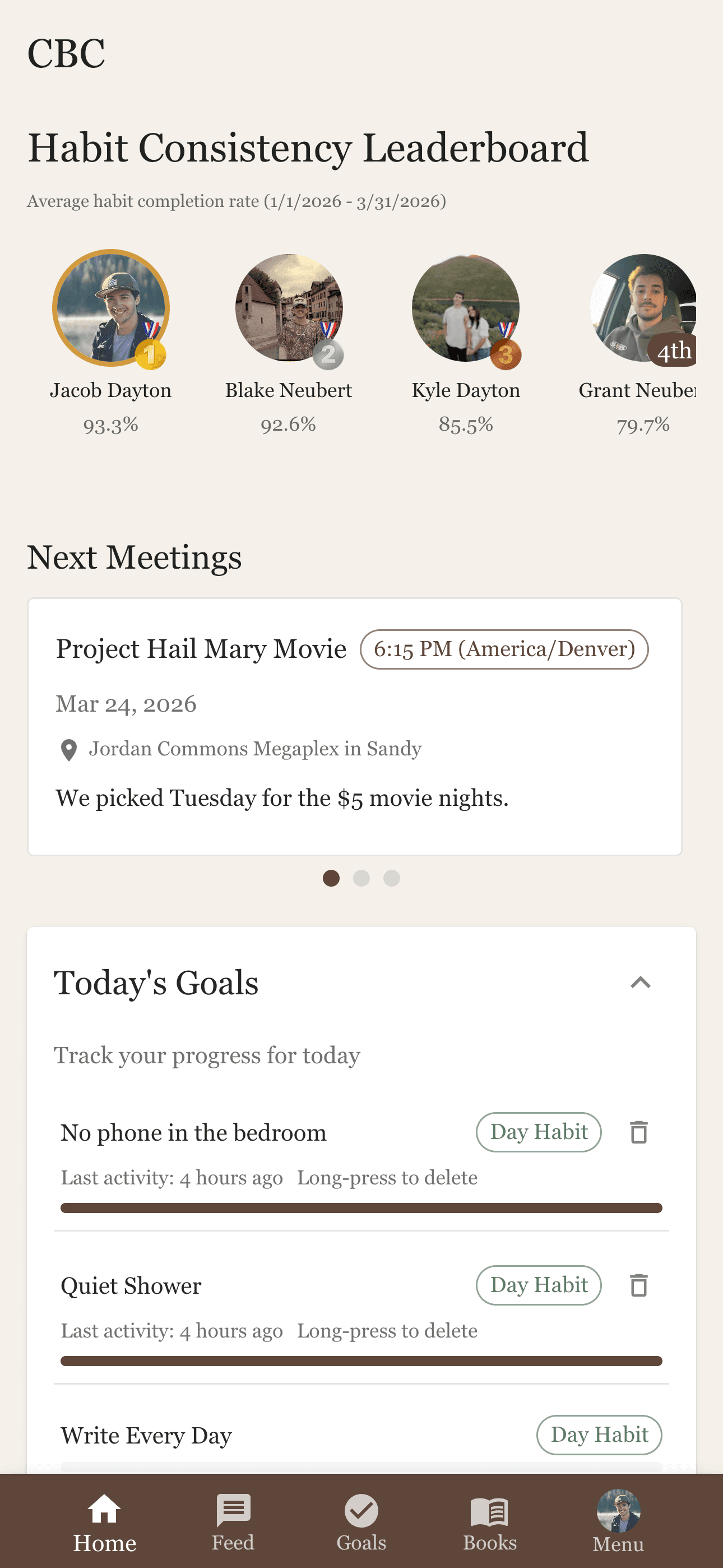
Habits, metrics, and milestones with club leaderboards

Community

Posts, replies, spoiler tags, and reactions in a private feed

CBC dashboard overview

Why CBC

More than a book club.

Discover, books, goals, and community in one place—so reading turns into action and ideas turn into habits.

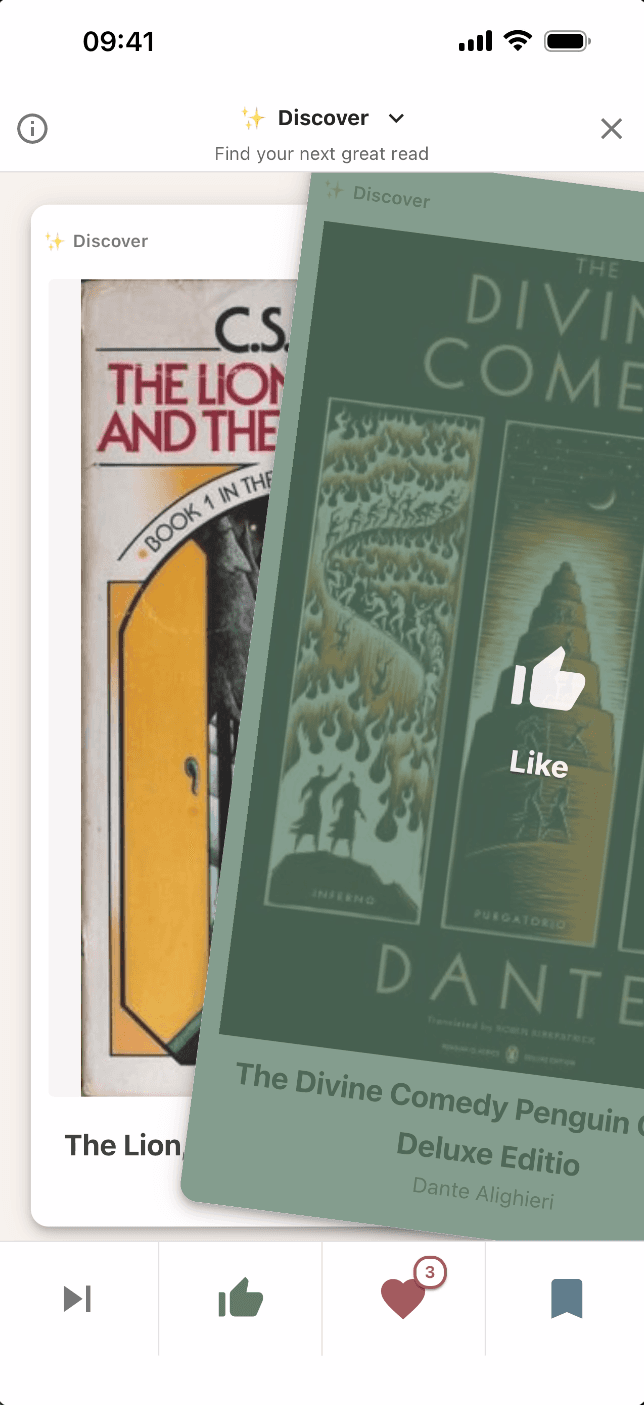
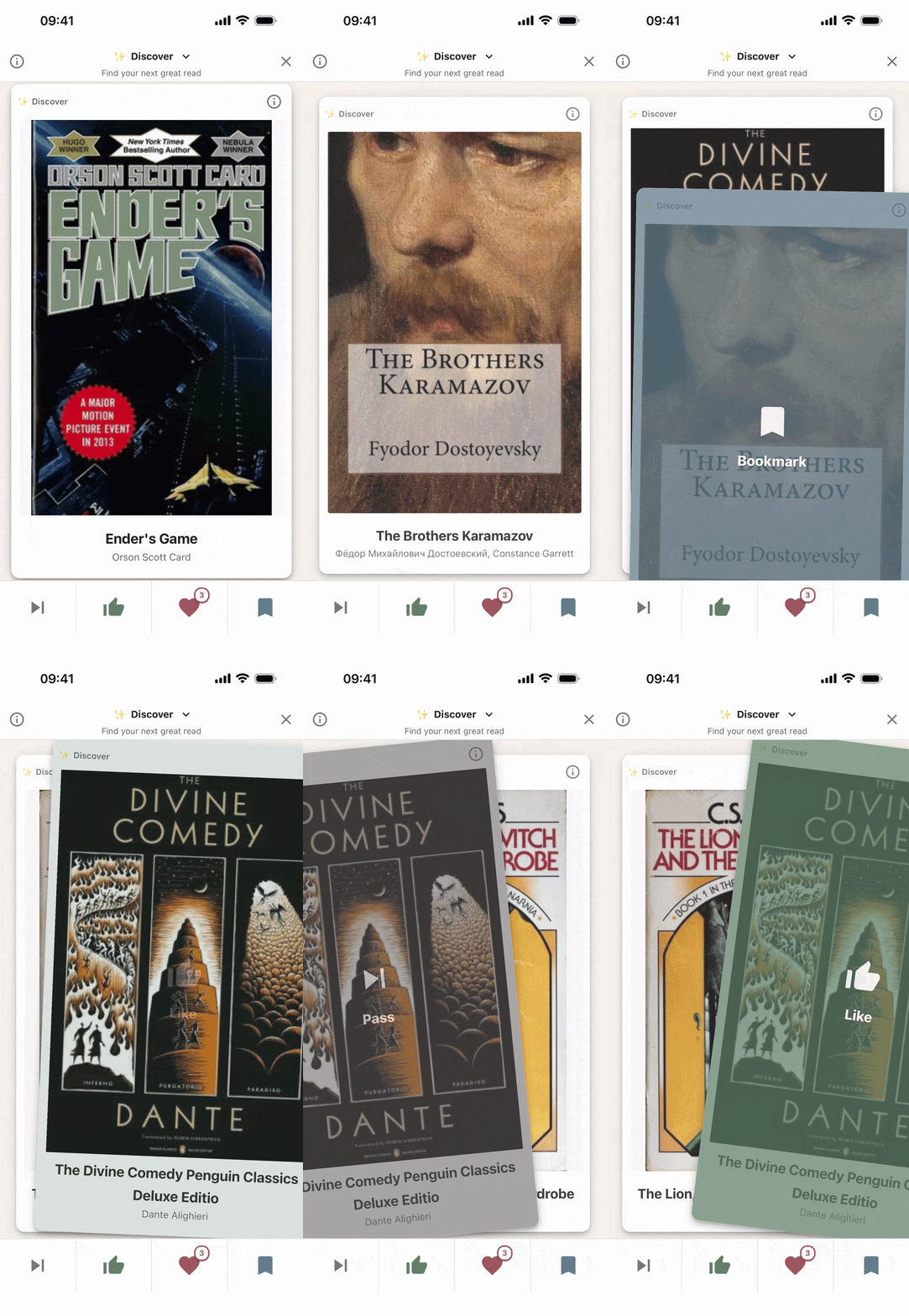
Discover swipe voting in the CBC app

Discover

A fun way to vote on books.

Swipe through suggestions one card at a time. Like, pass, bookmark for later, or use a super like—then read the suggestor’s notes. Jump between the main queue, hot picks nearing approval, championed titles, and your saved list. You get three super likes for the life of the club (refunded when that book is chosen); clear the approval bar as a group or with one super like to put a title in the running for a future read.

  • Like, pass, bookmark, or super like—plus the pitch from whoever suggested the book
  • Queues for what’s trending, what’s almost approved, and what members are championing
  • Approval by club support or a single super like—then it’s in the running for a future pick
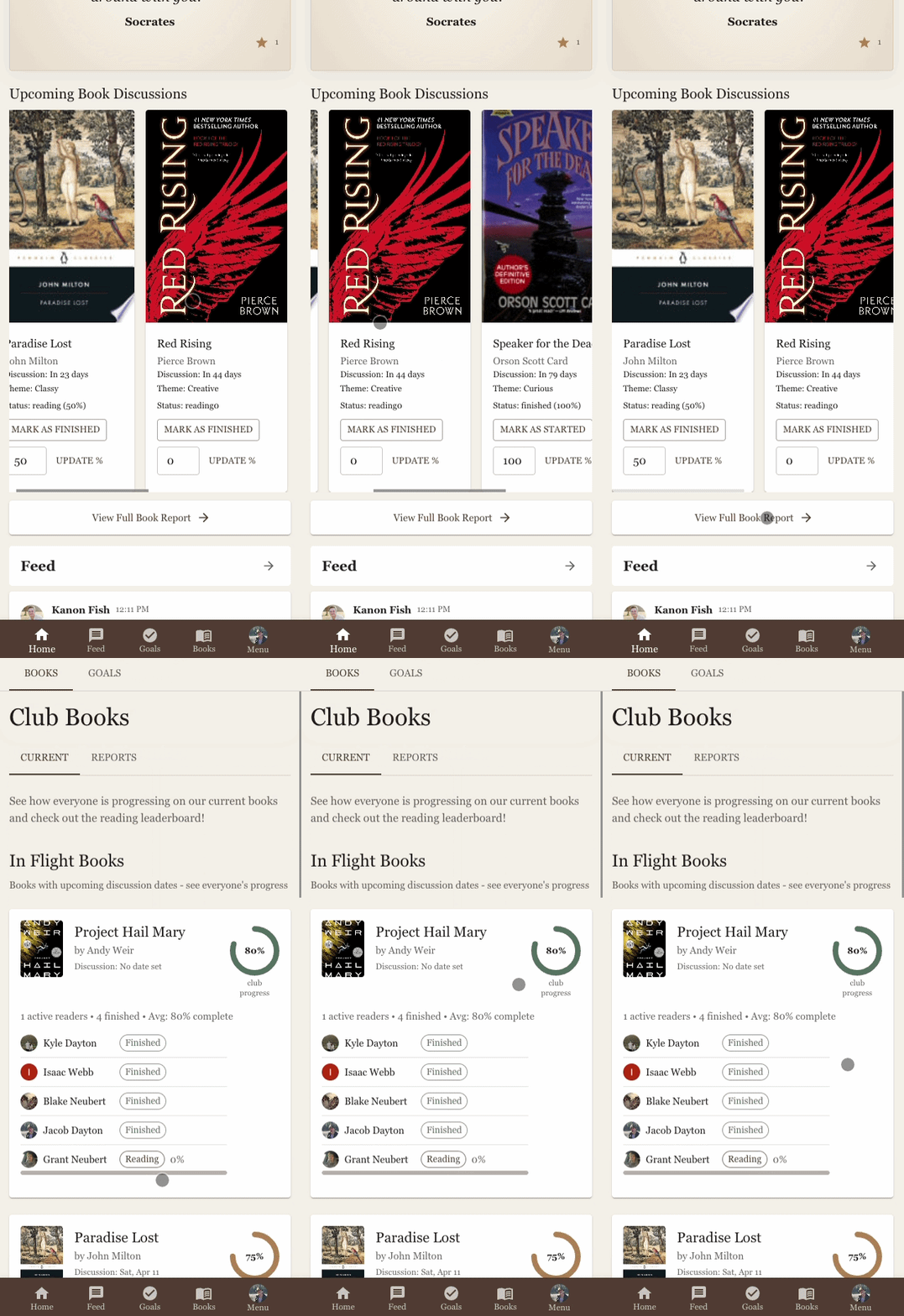
Books in progress in the app

Books

Track what your club is reading.

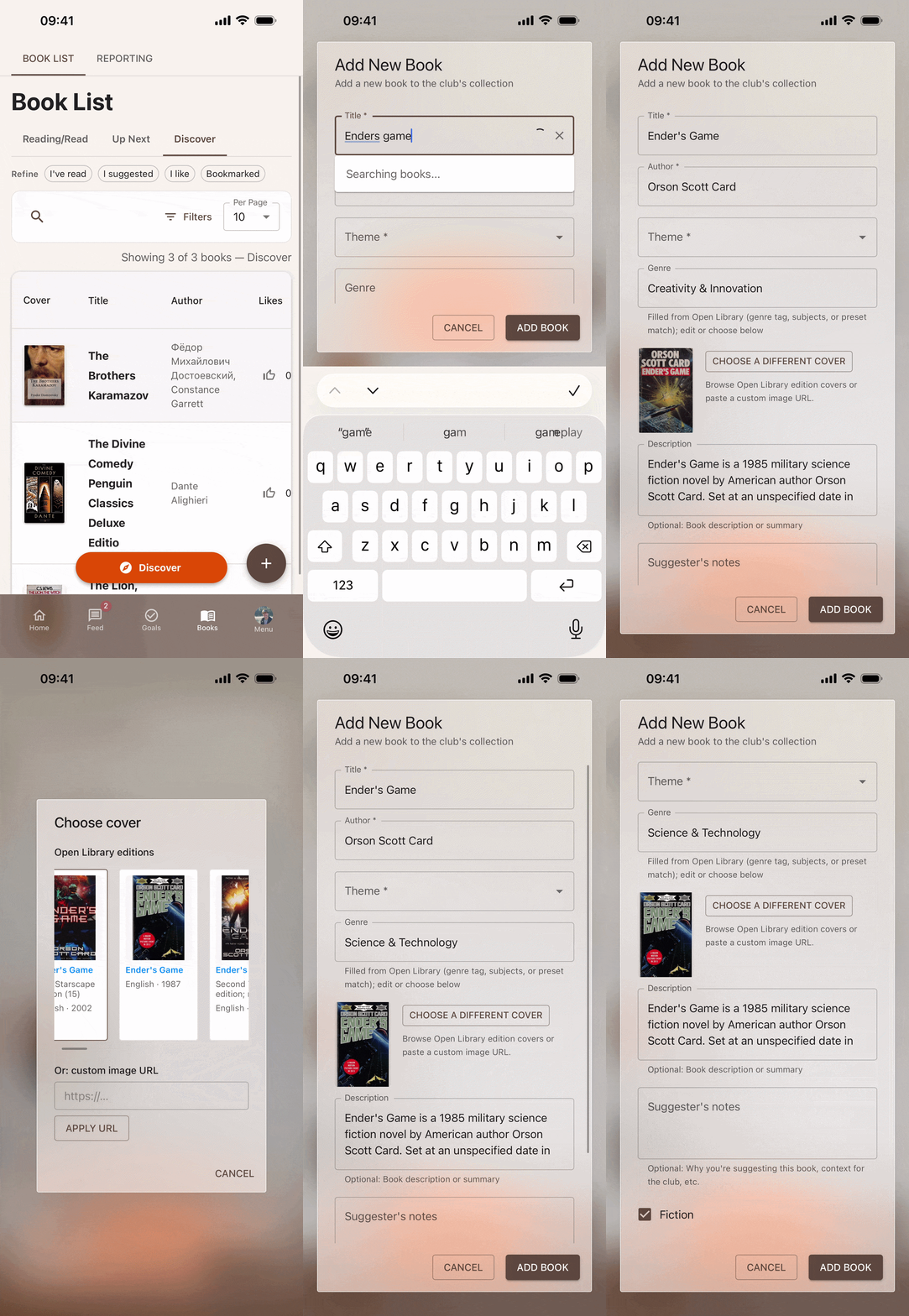
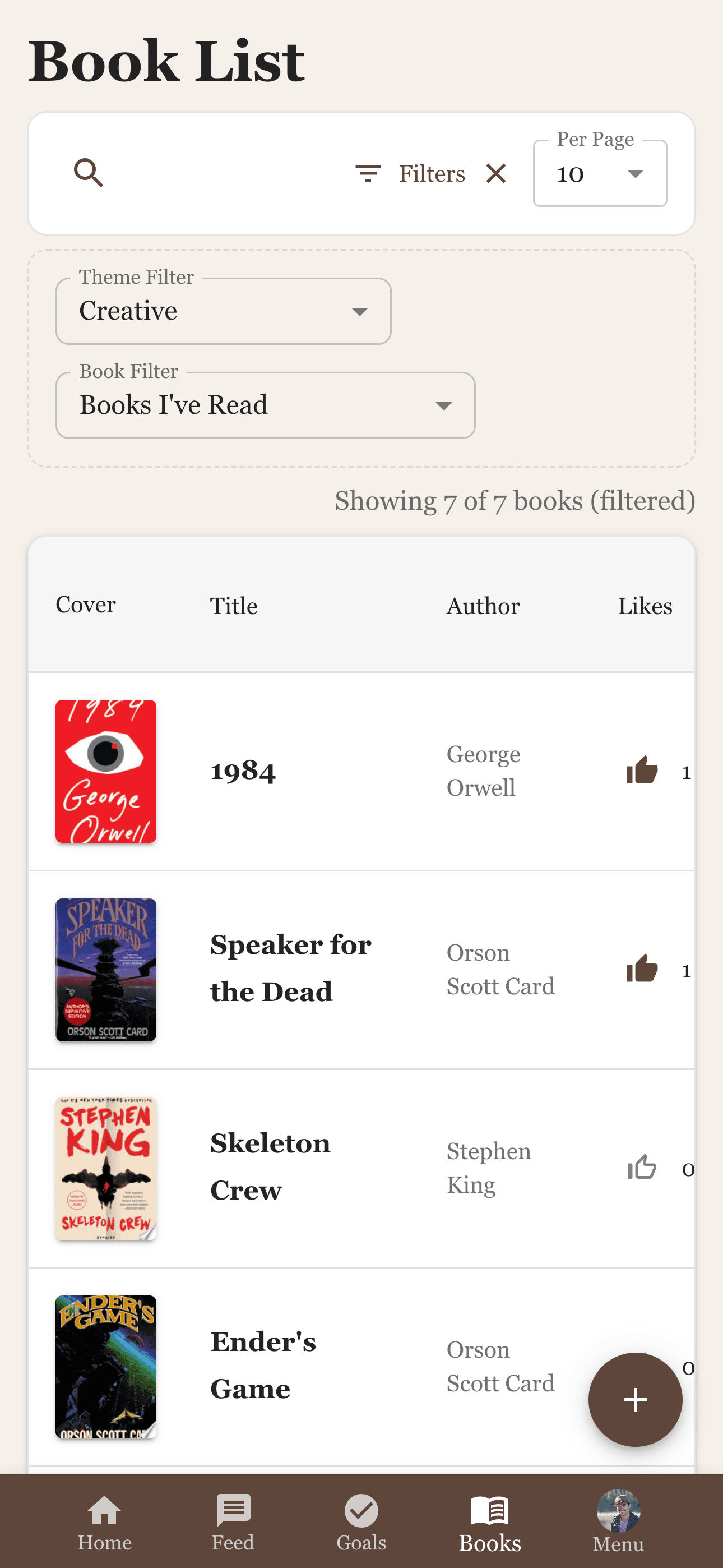
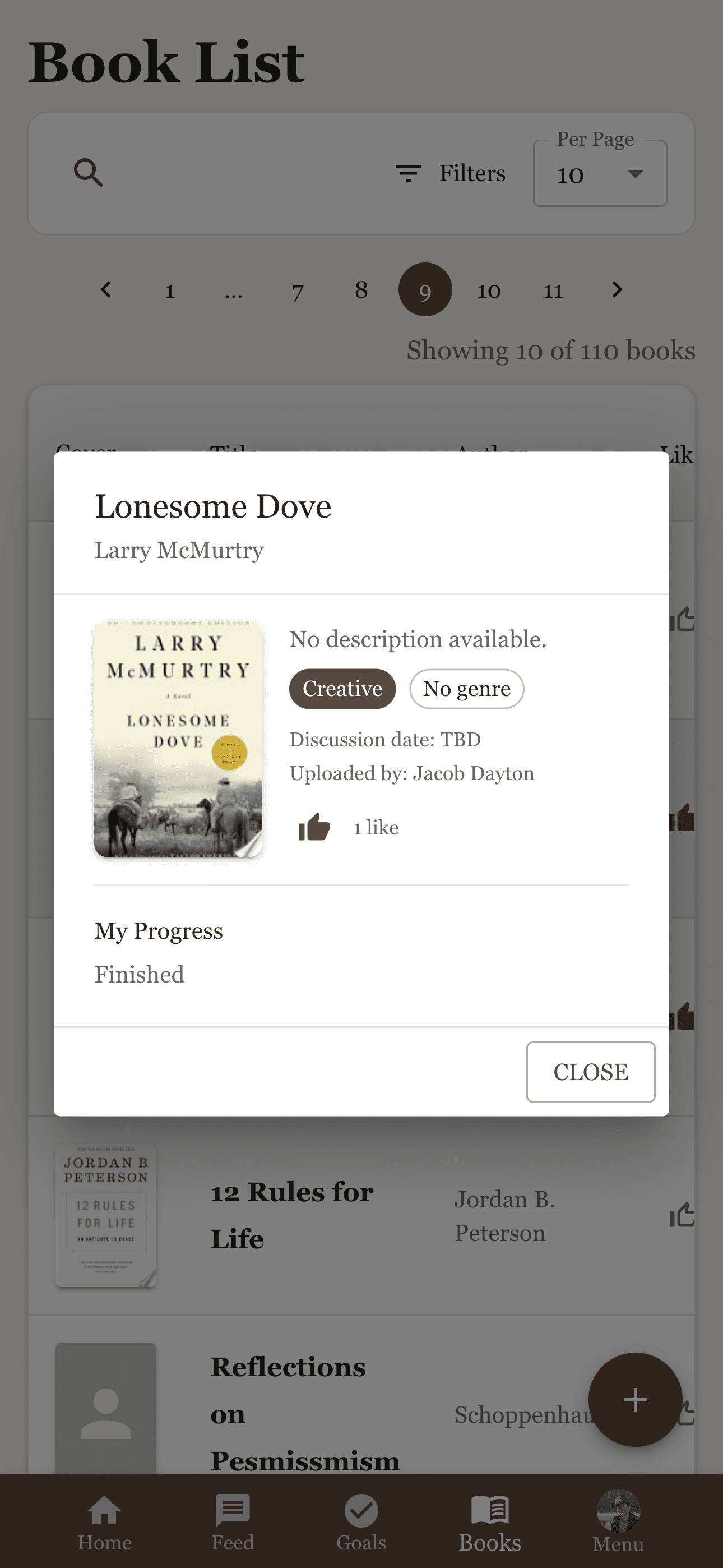
Search Google Books or add titles manually. Track reading progress across the group, pick the next book together, and use likes to influence club picks. Filter by theme, status, or sort by title, author, or likes.

  • Search Google Books or add manually
  • Track reading progress across your club
  • Filter by theme, status, or sort by likes
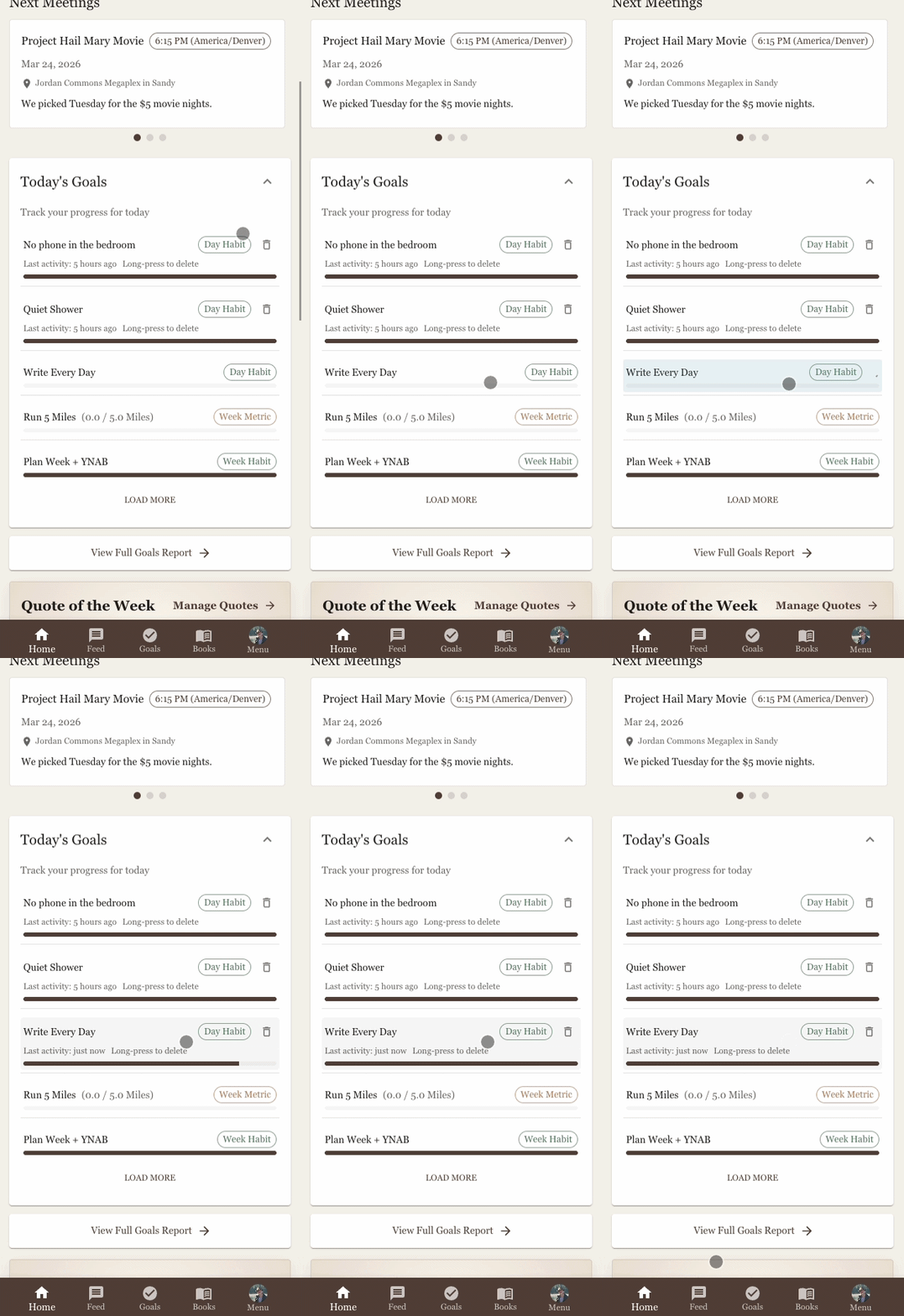
Quick goals in the app

Goals

Four goal types. One habit engine.

Set habits with daily, weekly, or quarterly cadences; hit numeric metrics; complete one-time goals; or break big wins into milestones. Check off goals from the dashboard, share completions to the feed, and compete on the habit leaderboard.

  • Habits, metrics, milestones, and one-time goals
  • Quick-complete from the dashboard
  • Leaderboards and personal trend reports
CBC community feed

Community

A private feed for your club.

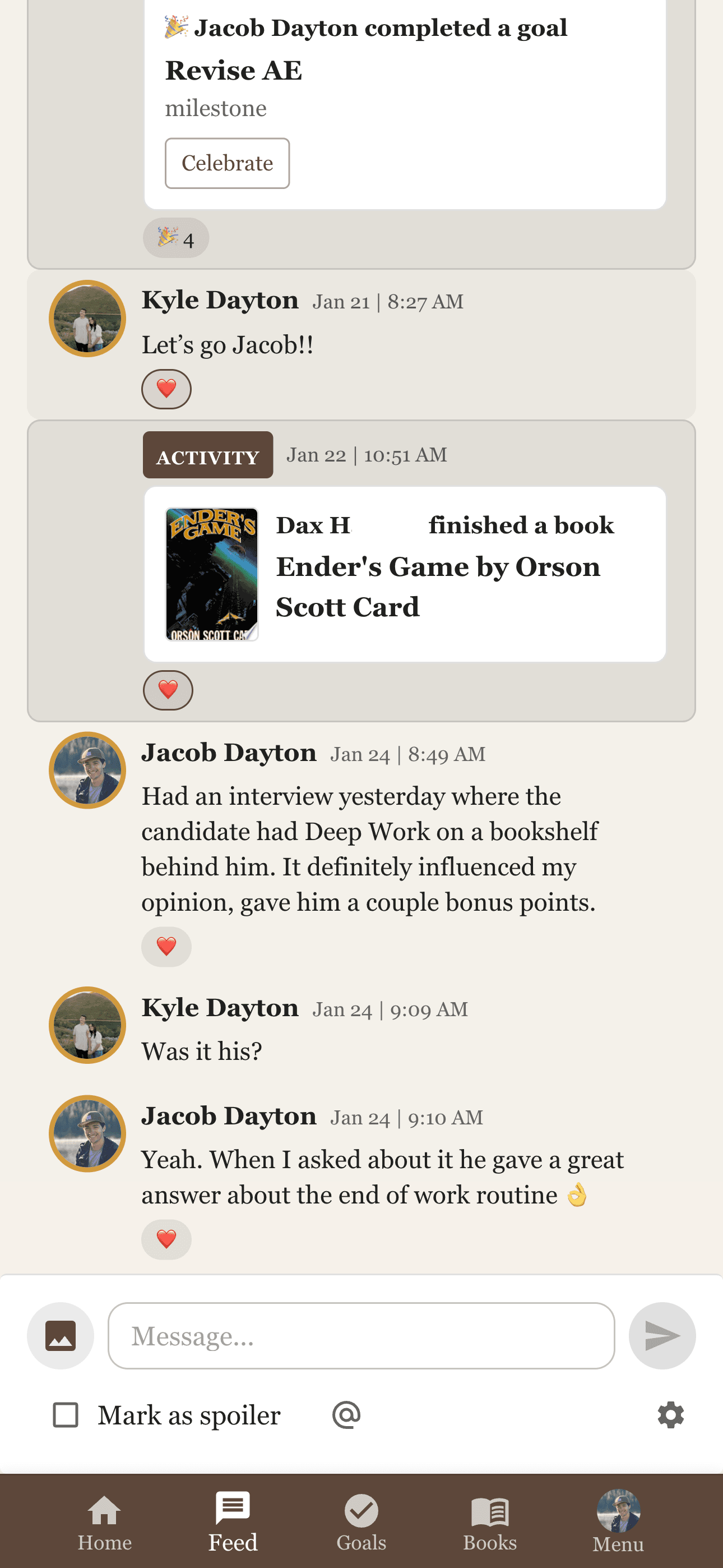
Post text and images, tag members with @mentions, and mark spoilers so everyone can read at their own pace. Threaded replies and emoji reactions keep the conversation going. Activity updates for book and goal completions appear in the feed automatically.

  • Posts with images, spoiler tags, and @mentions
  • Threaded replies and emoji reactions
  • Auto-generated activity updates for book and goal completions

Ready to try it?

Join on TestFlight

More of the app

Discover, calendar, books in progress, and goal reports.

Discover swipe voting preview

Discover

Adding a book suggestion in CBC

Add a book

CBC calendar view

Calendar

CBC book list

Book list

View and vote on books

View and vote

Books in progress

Books in progress

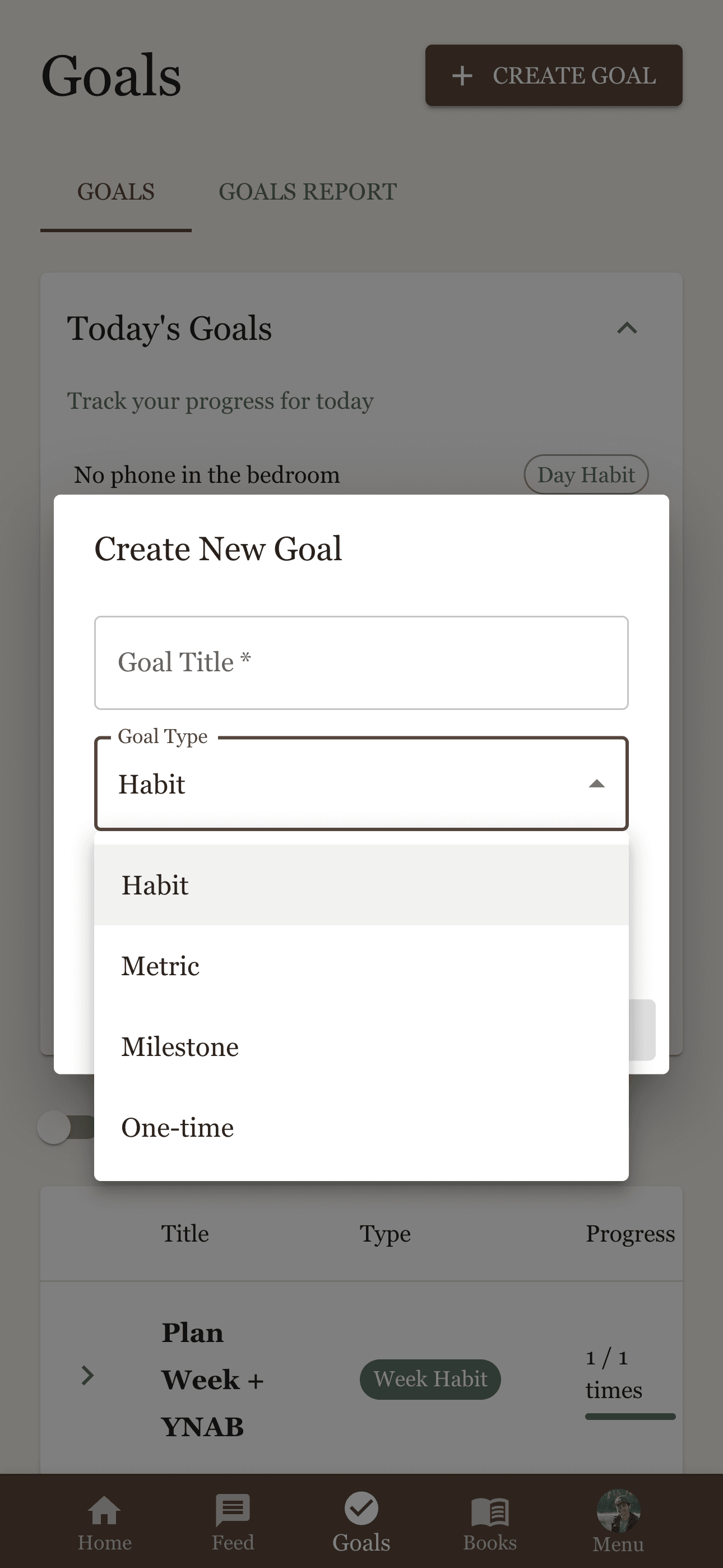
Create new goal and goal types

Goal creation

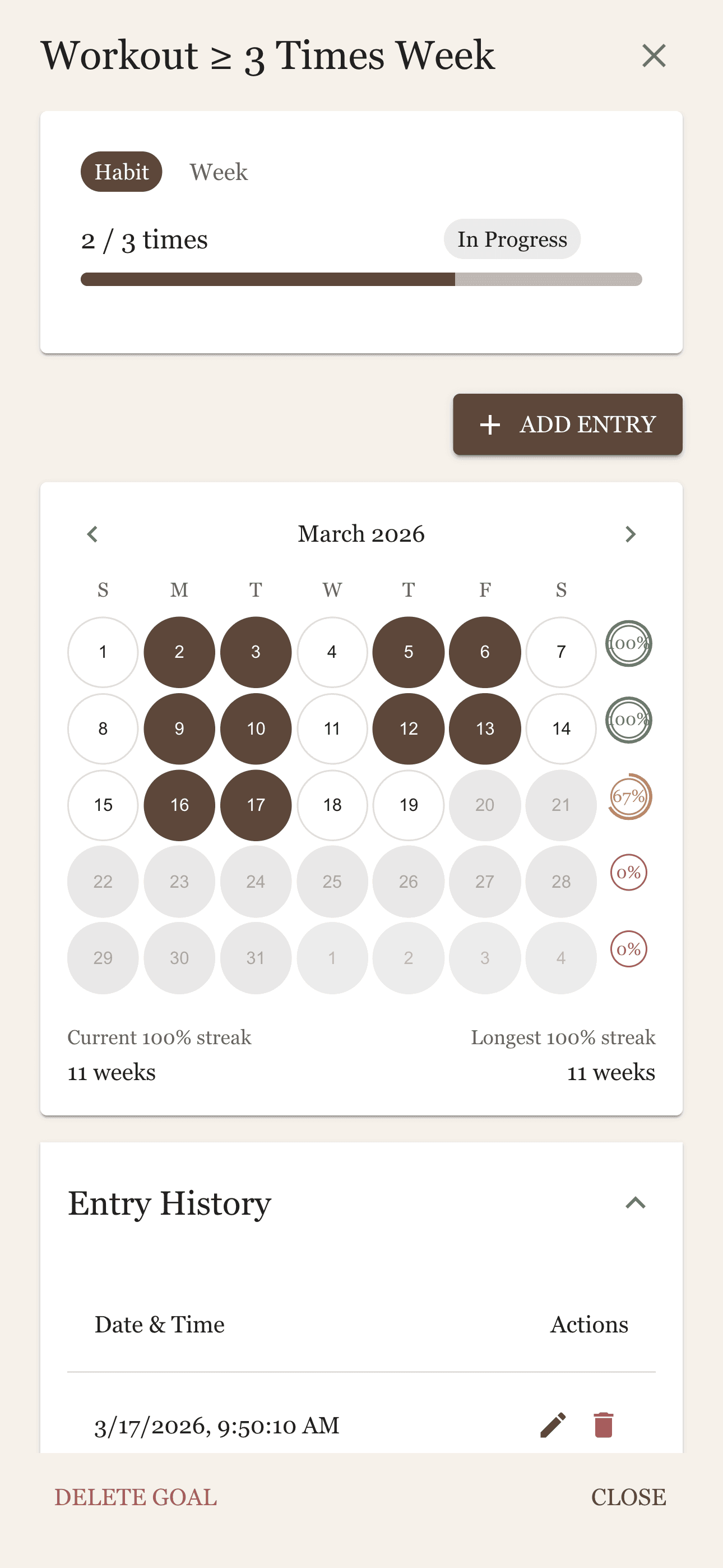
Goals calendar and habit tracking

Goals calendar

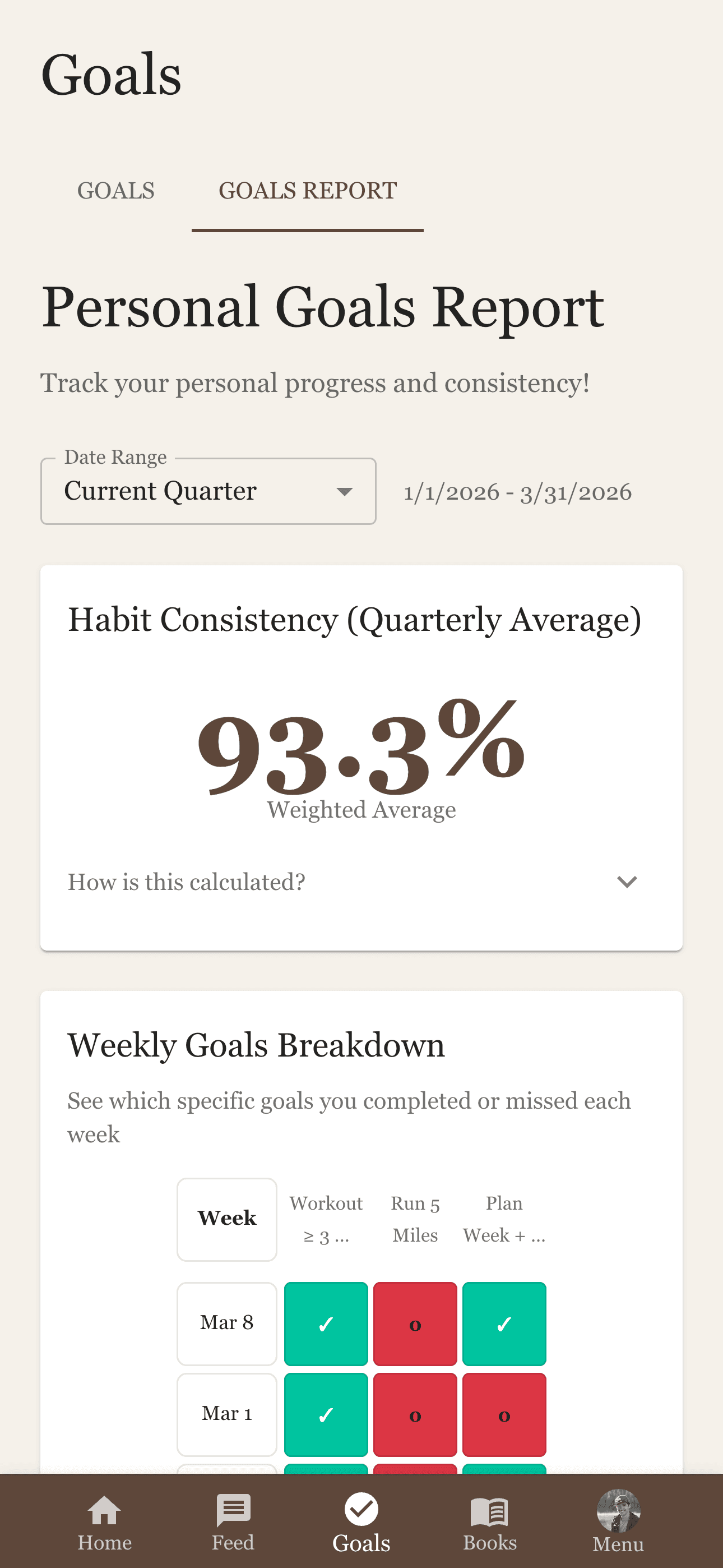
Personal goals report

Goals report

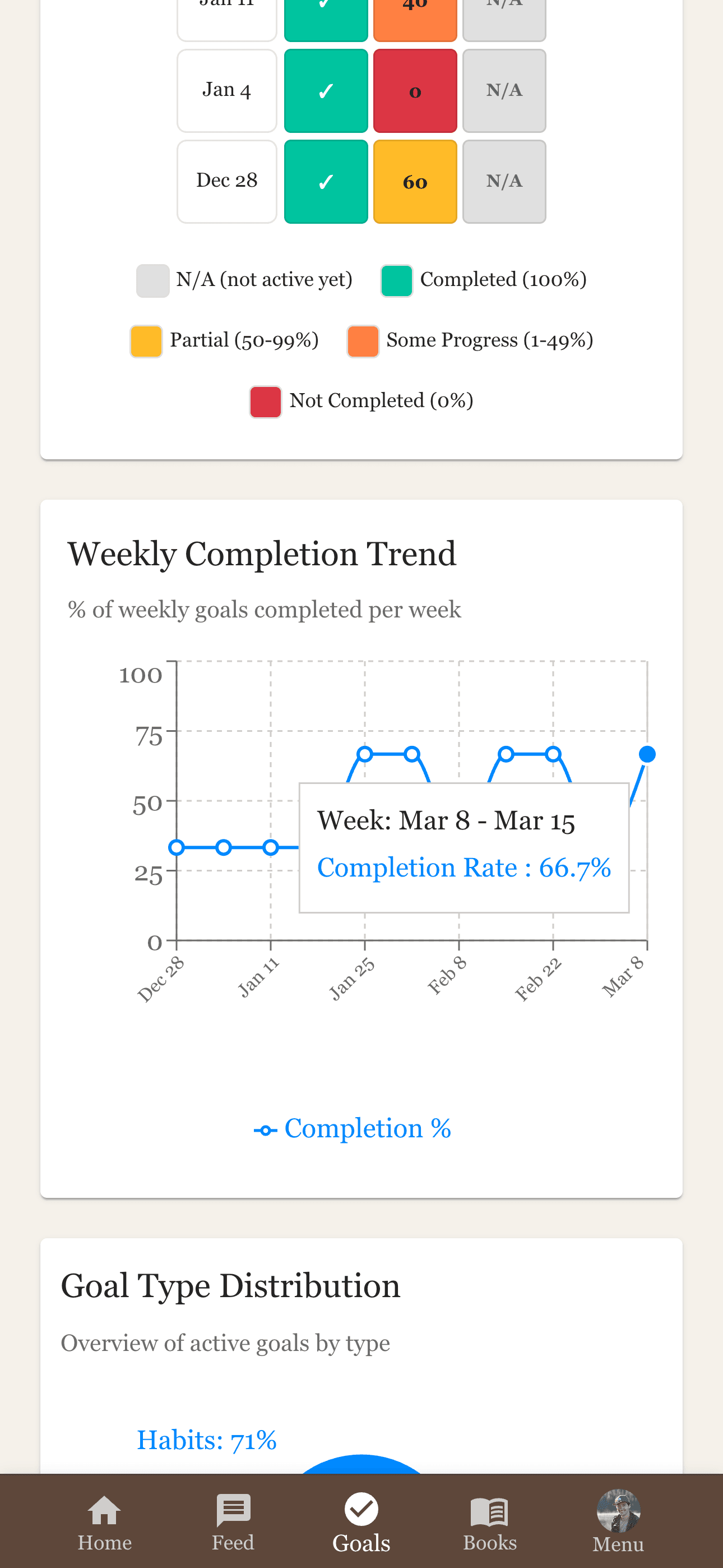
Weekly completion trend

Weekly trend

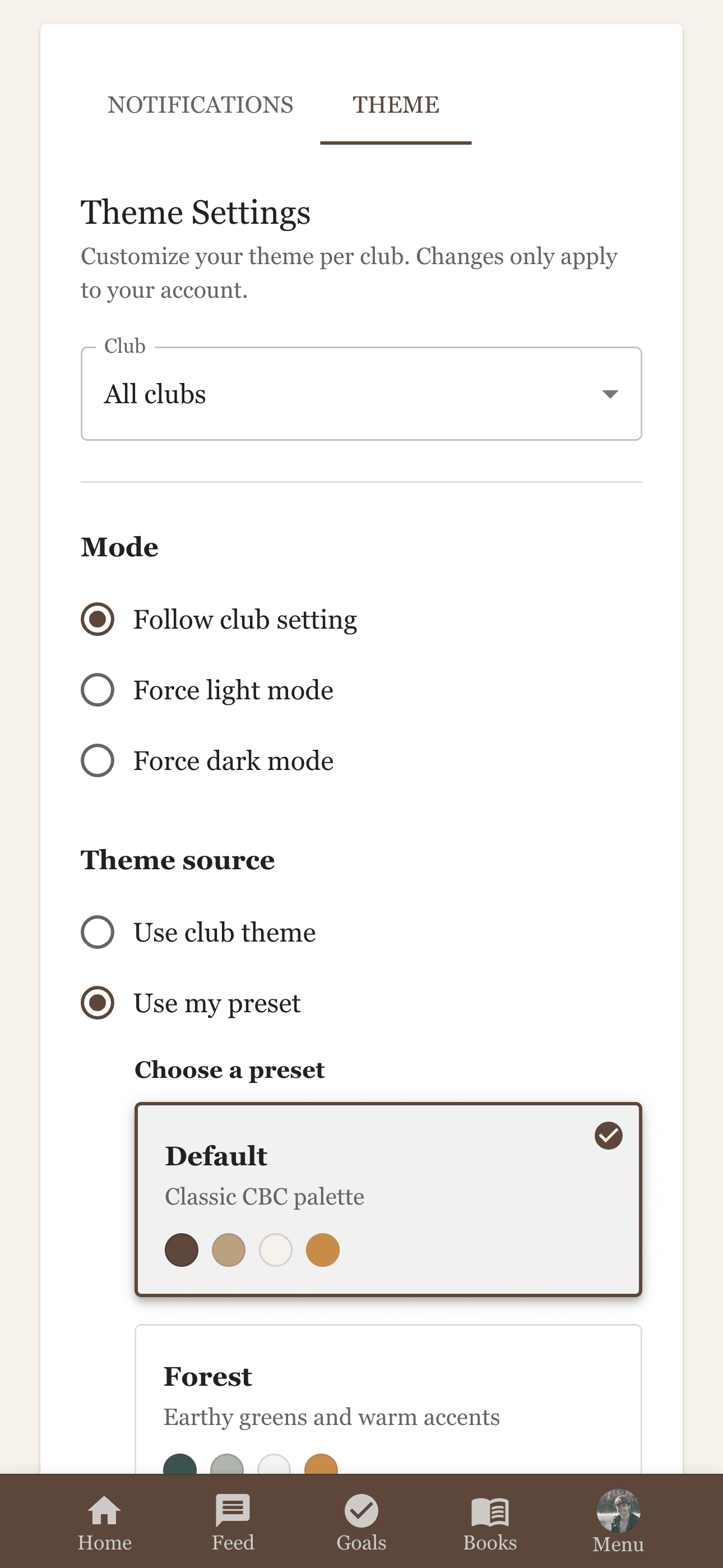
Theme settings

Theme settings

More features

Roles, meetings, quotes, and more.

Roles and permissions

Owner, Admin, Calendar Admin, and Member roles with granular controls.

Meeting scheduling

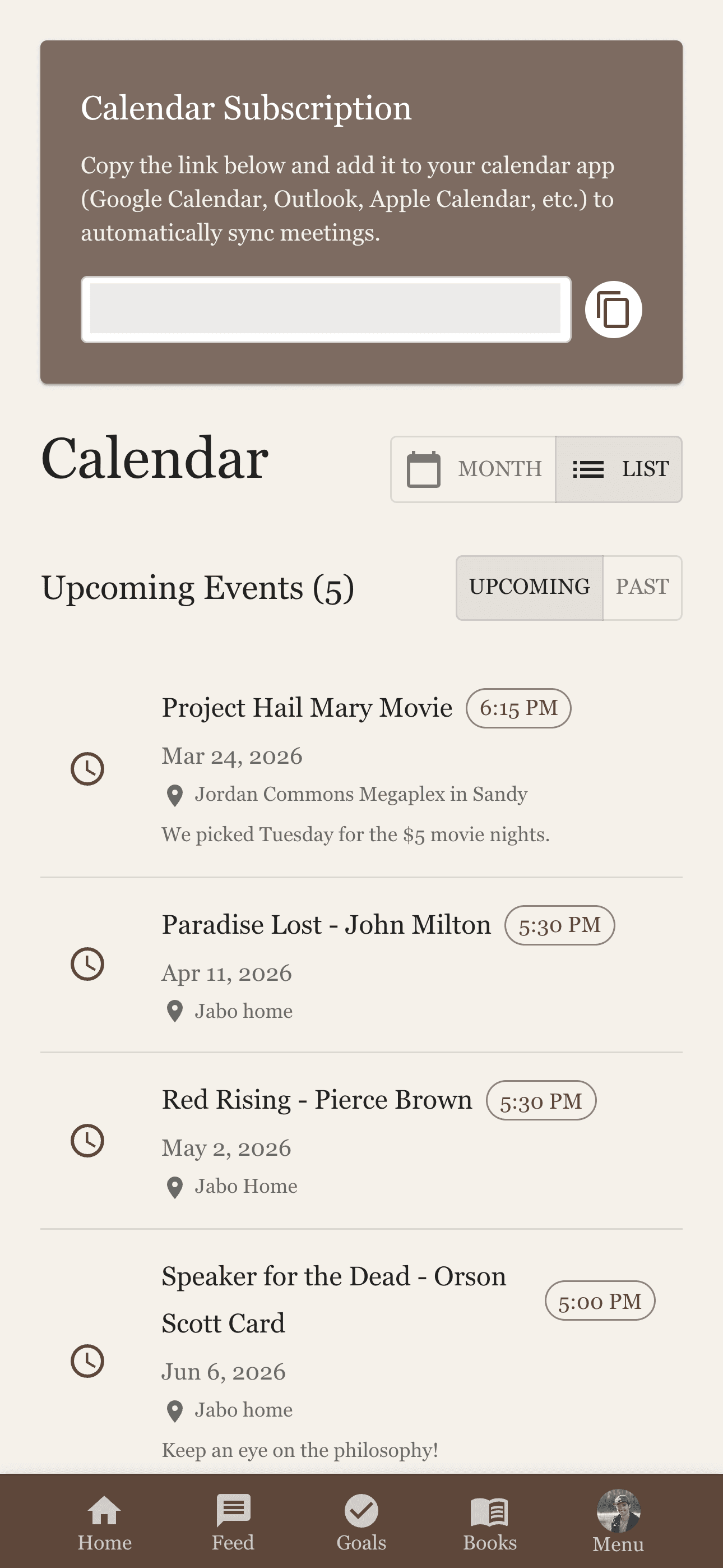
Create meetings with date, time, timezone, location, and iCal sync to your calendar.

Quotes

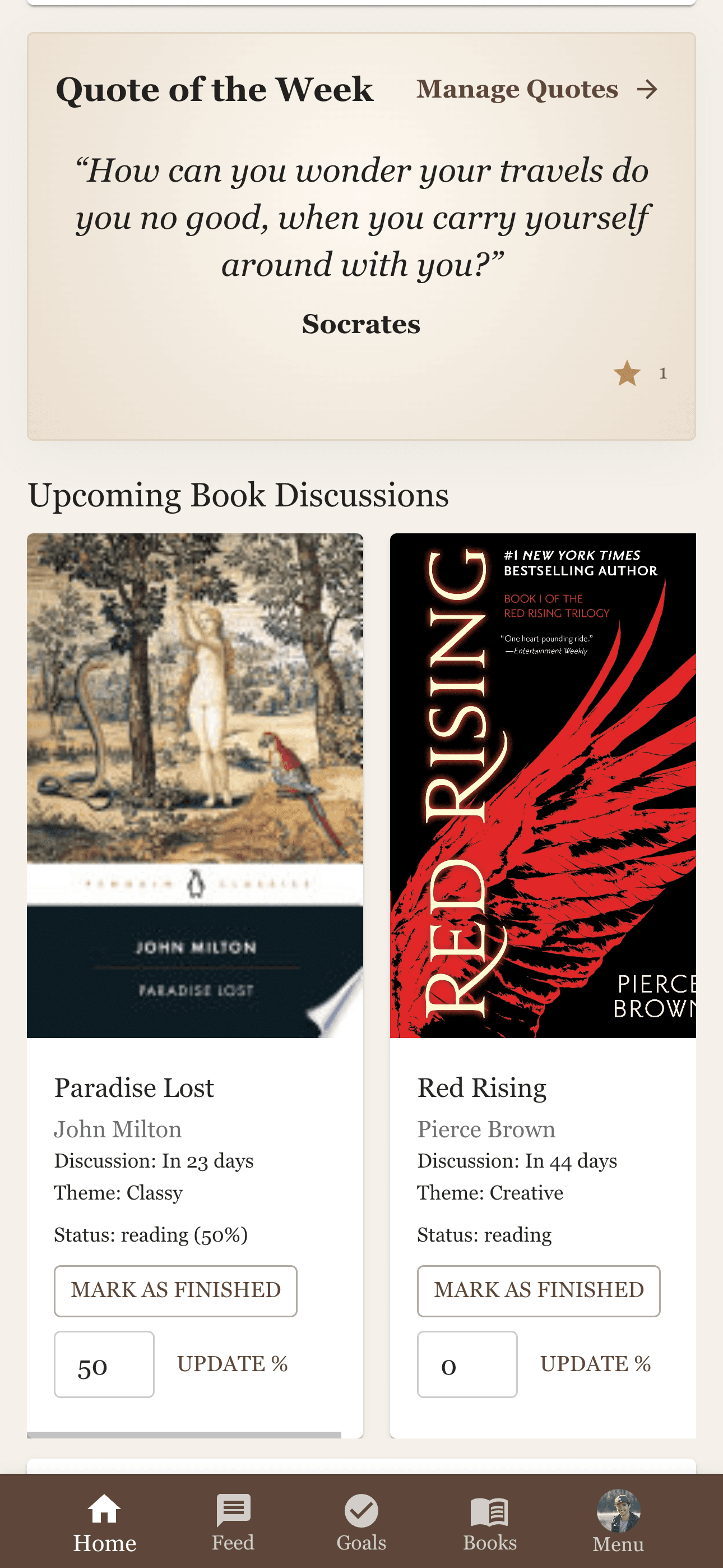
Save and share quotes; admins feature a Quote of the Week on the dashboard.

The CBC Method

Optional quarterly theme rotation—Classy (Body), Creative (Mind), Curious (Spirit). Customizable and recommended for structure; use as much or as little as you like.

Learn more in our Themes post

Notification preferences

Fine-grained push notification controls so you stay in the loop without the noise.

Feature toggles

Enable or disable Books, Goals, and Quotes per club to match how you run.

Themes and dark mode

A wide range of themes with light and dark variants for each. Follow your club’s default or set your own preference.

Install anywhere

Use in the browser, install to your home screen as a PWA, or install the public iOS beta via TestFlight; Android later.

How it works

From invite to conversation in four simple steps.

CBC is designed to be easy to understand at a glance, so new members can join without needing a long onboarding process.

01

Set up your club

Create a club or join with an invite code. Add members, choose roles, and turn on Books, Goals, or Quotes to fit how you run.

02

Choose a direction

Use the CBC Method themes (Classy, Creative, Curious). In Discover, swipe to vote on suggestions—or browse the list—and line up the next read together.

03

Track the habit

Set habits, metrics, or milestones. Quick-complete from the dashboard, share wins to the feed, and see how you stack up on the leaderboard.

04

Discuss together

Post in the feed, schedule meetings with iCal sync, and keep the conversation going with replies, reactions, and spoiler-safe updates.

Get the iOS beta.

Join on TestFlight

iOS beta

The public beta is live on TestFlight.

The web app is live at app.consciousbook.club. Install TestFlight on your iPhone or iPad, then open the invite link to join the CBC beta. App Store release is still to come; Android is planned for later.

Grandfathering: every club you create during the beta stays on the free tier forever—even when we add paid plans.

Download on the App Store — Coming Soon

No spam on the list—only product updates and launch news.

What beta members get

  • Join the public TestFlight beta on iOS today—install TestFlight, tap the invite, and you're in.
  • Help shape the features that matter most to book clubs.
  • Optional: add your email for product updates and launch news beyond what TestFlight sends.
  • Clubs you create during the beta are grandfathered: they keep access to the free tier forever, even after we introduce paid plans.